PSD to WordPress Conversion Service in Multan | Pixel-Perfect WordPress Development

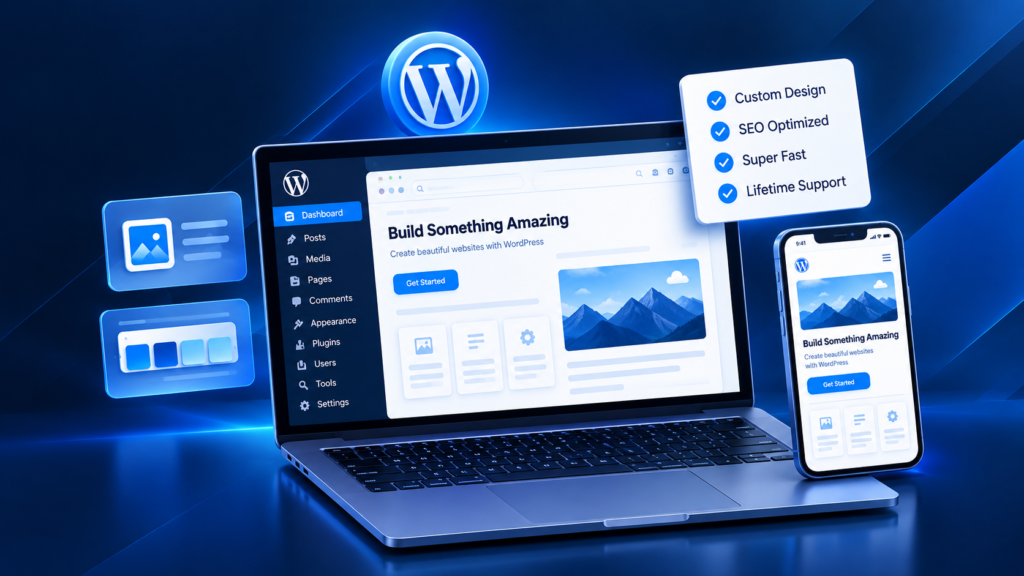
A finished Photoshop design is only the visual blueprint. Turning it into a working website requires decisions about layout behavior, WordPress structure, responsive breakpoints, editable content, plugins, performance, search visibility and future maintenance. Our PSD to WordPress Conversion Service Multan is for businesses, designers and agencies with an approved PSD that needs to become a functional WordPress website. The goal is to preserve the design accurately while building a responsive, manageable CMS that remains practical after launch. The search phrase “PSD to WordPress Developer Multan” usually reflects a need for local development support. The conversion can use Elementor, Gutenberg or custom WordPress theme development according to the design, editing needs and functionality. This service is suitable when you need to convert PSD design to WordPress for a business website, landing page, WooCommerce store or custom UI/UX project in Multan, elsewhere in Pakistan or for an international audience.
Fast & Secure

Optimized for speed and security

Fully Responsive

Looks great on all devices

SEO Friendly

Built for higher rankings

Projects Done
0 +
Success Rate
0 %
Year's Experience
0 +

Professional PSD to WordPress Conversion Services in Multan

PSD to WordPress conversion means translating an approved Adobe Photoshop interface into a functional WordPress website while preserving the intended layout, typography, visual hierarchy and interaction patterns. Our PSD to WordPress development services can include page-template development, Elementor implementation, custom WordPress theme development, Gutenberg-compatible layouts, responsive behavior, forms, menus, CMS fields, WooCommerce components and required plugin integrations. The development approach depends on what the website needs to do after the static design becomes interactive. A PSD design to WordPress website project must also handle changing content. Headings, images, product names and page sections vary after launch, so reliable conversion treats the PSD as a design system rather than a single image to trace. For businesses comparing the search term “Professional WordPress Developer Pakistan,” the practical questions are whether the finished site remains editable, responsive, maintainable and structurally sound.

Our PSD to WordPress Conversion Process

A structured conversion process reduces visual inconsistencies and technical rework. We move from design review to development, responsive implementation, testing and launch preparation so the WordPress build can be checked against both the PSD and real website behavior.

PSD Design Analysis and Requirement Planning

The first step is to inspect the PSD files, fonts, colors, grids, repeated components, image assets, page states and expected functionality. We identify which parts should become reusable WordPress sections, templates or global styles and which areas need custom behavior. We also clarify whether Elementor, Gutenberg or a custom theme is more appropriate; whether forms, animations, dynamic content or WooCommerce are required; and which content the client needs to edit. This planning stage prevents the project from becoming a collection of one-off pages that are difficult to update later.

Pixel-Perfect WordPress Development

Pixel Perfect PSD to WordPress Conversion means the developed interface should closely follow the approved design in spacing, typography, proportions, visual hierarchy and component styling at the agreed reference sizes. Accuracy does not mean using rigid dimensions everywhere. A web page must respond to browser widths and real content, while a PSD is static. We therefore reproduce the design faithfully while using web-appropriate HTML, CSS, WordPress structures, Elementor controls or theme templates so the interface remains stable when content changes.

Responsive Website Development

Responsive WordPress website development adapts the design for desktop, tablet and mobile screens instead of merely shrinking the desktop layout. Navigation, columns, spacing, typography, images, forms and calls to action may need different behavior at smaller widths. When the PSD only contains a desktop composition, responsive decisions follow the design hierarchy and user task. Elementor supports responsive editing and breakpoints, while custom themes and Gutenberg layouts can use responsive CSS and block structures. The objective is a consistent experience across screens.

Testing and Quality Assurance

Before launch, the converted website should be checked against the design and against real usage. QA can include responsive views, common browsers, menus, links, buttons, forms, content editing, image behavior, WooCommerce flows where relevant and obvious layout failures caused by longer text. We also review performance-sensitive assets, basic SEO structure, headings, page titles supplied in scope, image sizing and plugin behavior. Testing is the point where visual accuracy, functionality and maintainability are verified together rather than treated as separate tasks.

From Static PSD Design to a Scalable WordPress Website

A static PSD shows a page at one moment. A scalable WordPress website must also handle new pages, changing text, articles, products and future content updates. That is why custom WordPress website development from PSD should establish reusable design rules. Global colors, typography, buttons, containers, header/footer components and repeated content patterns can be implemented as reusable Elementor styles, Gutenberg blocks, theme templates or custom fields depending on the project. The CMS layer matters too. Editors should know what can be changed safely, while controlled template boundaries reduce design drift and make maintenance easier. Scalability also means avoiding unnecessary plugins and one-off styling for every page. When the website is structured around reusable components, future service pages, landing pages or sections can follow the same system without rebuilding the visual language from the beginning. This is where PSD conversion becomes more than front-end recreation: the static design is converted into a maintainable WordPress architecture.

Types of PSD Designs We Convert Into WordPress

PSD files can represent very different website goals. The conversion method should match the type of website, the content model and the actions users need to take.

Business Website Designs

Business websites often include a homepage, service pages, about content, proof, FAQs and contact paths. For business PSDs, the WordPress structure should make common content easy to update while keeping navigation and service hierarchy consistent.

Landing Page PSD Conversion

Landing page PSD conversion focuses on one campaign or conversion objective, such as a lead form, call, WhatsApp enquiry, booking or purchase. The developed page should preserve message hierarchy, CTA visibility and trust elements while remaining fast and usable on mobile devices.

E-commerce PSD Conversion

E-commerce PSD conversion adds another layer because product information must connect to WooCommerce rather than remain static. Product pages may need attributes, variations, prices, stock, images, cart actions, checkout and account functions.

Custom UI/UX PSD Designs

Custom UI/UX PSD designs may include unusual navigation, dashboards, complex sections or reusable interface states. A UI Design to WordPress Conversion project based on custom UI/UX Design may require custom CSS, JavaScript, templates, theme development .

Why Manual PSD to WordPress Conversion Is Better Than Automated Conversion

Automated conversion tools can be useful for quick prototypes or very simple layouts, but generated output still needs human review before it should be treated as a production WordPress website. Manual development allows the developer to decide how the PSD should translate into semantic page structure, reusable components, responsive behavior, CMS editing and WordPress functionality. It also makes it easier to remove unnecessary wrappers, fix inconsistent spacing rules and choose the right method for sections that need dynamic content.
Factor Manual / Developer-Led Conversion Automated Conversion
Responsive decisions Reviewed around design hierarchy and real content May require substantial cleanup after generation
WordPress structure Can be planned around templates, CMS editing and reusable components Often reflects what the tool can generate
Custom functionality Can be integrated to project requirements Usually limited by the automation workflow
Code/layout cleanup Developer can remove unnecessary structure and fix edge cases Generated output still needs QA
Best fit Business sites, custom designs, stores and maintainable production builds Rapid prototypes and simple concepts
wordpress development service in multan

How We Optimize Converted WordPress Websites for Performance and SEO

A PSD can contain large images and effects that need web optimization. Performance-conscious conversion uses appropriate image dimensions and formats, limits unnecessary scripts and plugins, and avoids needless layout complexity. SEO-friendly WordPress development also depends on structure. The converted page should use meaningful headings, crawlable content, logical internal links and editable metadata through the website’s SEO setup. Important text should remain real HTML content rather than being flattened into images simply to match the PSD. Page speed is influenced by hosting, plugins, images, fonts, scripts, third-party services and theme or builder choices, so no responsible developer can promise one universal performance score. The development should instead reduce avoidable front-end weight and test the actual implementation. Responsive design also affects performance and usability. Images should not be served at unnecessarily large dimensions on small screens, and interactions should remain practical on touch devices. The result is a WordPress conversion that respects the visual design while also supporting website performance, SEO and future optimization.

Common PSD to WordPress Conversion Mistakes Businesses Should Avoid

Several problems commonly appear when a static design moves into WordPress.

Avoiding these mistakes helps protect both the visual quality of the PSD and the long-term usability of WordPress.

PSD to WordPress Conversion Checklist Before Launch

A pre-launch checklist helps confirm that the website is not only visually close to the PSD but also ready for users and editors.

Design and responsive QA:

WordPress and CMS:

Functionality:

SEO and performance:

Launch:

wordpress development service in multan

Why Choose Our PSD to WordPress Conversion Service in Multan?

The value of PSD conversion lies in the decisions between the design file and the finished CMS. Our approach focuses on five practical areas: Design Accuracy + WordPress Performance: The interface is developed to follow the approved PSD while avoiding unnecessary front-end weight where possible. SEO-ready WordPress conversion: The implementation keeps important content crawlable, uses a logical heading structure and supports internal linking and metadata workflows rather than turning the design into a collection of images. Future-ready WordPress architecture: Reusable templates, global styles and manageable content structures make later changes easier than a page built from disconnected one-off elements. Manual development instead of low-quality automated conversion: Tools may support the workflow, but responsive, CMS and architecture decisions receive developer review. Local PSD to WordPress expertise in Multan: Local businesses can use the same structured WordPress development approach for Multan, Pakistan or international audiences. No conversion method should be chosen only because it is fashionable. Elementor, Gutenberg, WordPress theme customization or custom theme development should be selected according to the design, editing needs, functionality and maintenance expectations.

PSD to WordPress Conversion Cost in Multan

PSD to WordPress conversion cost in Multan depends on the actual development scope rather than the PSD file format alone. A one-page marketing layout requires less work than a multi-template business website or WooCommerce store. Cost can be affected by the number of unique page designs, responsive complexity, animations, custom functionality, Elementor or custom-theme requirements, forms, product templates, third-party integrations, content migration and testing. Projects with well-organized PSD files, clear fonts/assets and defined mobile behavior are usually easier to scope than designs with missing states or unclear functionality. Before requesting a quote, prepare the PSD files, number of unique pages, required WordPress editing method, mobile/tablet designs if available, functionality list, existing website URL if relevant and any required integrations. That allows the work to be estimated against real requirements instead of an arbitrary package. Affordable PSD to WordPress development should mean the scope is appropriate for the business—not that testing, responsiveness or maintainability are removed to reach the lowest possible price.
wordpress development service in multan

Frequently Asked Questions

These answers address the most common questions businesses and designers ask before converting a Photoshop website design into WordPress.

What is PSD to WordPress conversion?
PSD to WordPress conversion is the process of taking a website interface created in Adobe Photoshop and developing it as a functional WordPress website. The work normally includes layout implementation, responsive behavior, WordPress templates or builder structure, CMS editing and testing rather than simply uploading the PSD file to WordPress.
Yes. PSD to Elementor conversion is suitable when the project needs a visual editing workflow and the design can be implemented effectively with Elementor’s layout and responsive controls. Custom CSS or code can still be used where the design requires behavior that standard widgets do not handle cleanly.
Yes. Custom WordPress theme development can be used when a project needs controlled templates, custom content structures or reduced dependency on a visual builder. WordPress supports both classic and block-theme approaches, so the appropriate architecture depends on project requirements.
Responsive behavior should be part of the conversion scope. Desktop PSDs do not automatically define tablet and mobile layouts, so the developer must interpret hierarchy, spacing and component behavior for different viewports and test the result on representative screen sizes.
Pixel-perfect conversion focuses on visual fidelity to the approved design at agreed reference sizes. Responsive conversion focuses on how the layout adapts across screen widths. A professional project needs both: close design accuracy and sensible behavior when the viewport or content changes.
Can you convert an e-commerce PSD into WooCommerce?
Yes, when WooCommerce is part of the agreed scope. Product designs can be mapped to WooCommerce product data, categories, attributes and variations, while cart, checkout and account pages are developed according to the design and store requirements.
The timeline depends on the number of unique templates, responsive complexity, functionality, content readiness, integrations and feedback cycle. A reliable schedule should be set after reviewing the PSD files and requirements rather than promising the same delivery time for every project.
Provide the final PSD files, fonts or font references, image assets, page list, mobile/tablet designs if available, required functionality, WordPress or hosting access when appropriate and notes about which content must be editable. Clear inputs reduce assumptions during development.

Yes, if editability is planned into the build. Elementor, Gutenberg, custom fields or WordPress templates can be structured so routine text, images, products and other agreed content are manageable without editing source code.

The development can include an SEO-ready structure: crawlable content, sensible headings, internal-link capability, responsive implementation and performance-conscious front-end decisions. Ongoing SEO strategy, rankings and content growth are separate activities and should not be treated as guaranteed outcomes of the conversion alone.